The new iPhone has been able to call, while the Apple Watch has been attached to the old phone; the logs are not available, and the watch course is not sure if it is moving. The missing machine does not have to be one more full-time. If you use your watch to record movement, take notice, or go out, you have to switch to the mobile phone shop as an independent acceptance project. The focus cell phone is in order to do no repetitions of general photographs, LINE's home-shifting lessons, and to help you identify the key functions before clearing the old plane.
First, distinguish three things: matching, information, and telecommunications programmes.
Apple Watch has been paired with the new cell phone, which represents only two devices, and does not represent all health information, payment cards, or mobile access. Assuming you're usually running a watch, without a cell phone, you can leave until you can see the notice in the store, and it may not be possible to find that the operation service has not been completed until you leave the house. It is proposed to divide the receipt and inspection into three small lists of links, historical information, and independent services, rather than simply asking the shopkeeper if it is "good".
| The project | What to confirm. | No one can be replaced. |
|---|---|---|
| matched | The new iPhone Watch App can manage the watch | The old aircraft is still notified. |
| Health and Activity | History and recent records can be viewed. | Surface lighting or increased number of steps |
| Service of Action | Compliance with the qualification program and connection status | The phone can be called when it is near. |
| Payment and App | Re-install and verify according to the services | App display appears in the list. |
Pre-to-store account, password and charging
Bring old iPhones, new iPhone, Apple Watch and their respective chargers and confirm that they know the Apple account password, the cell phone unlocking password and the watch password. AppleCombining Apple Watch with the new iPhoneOfficial processes require iPhone to connect to Wi-Fi, and watch to the new iPhone with at least half of its electricity, and update it to the latest version that they apply. Updates and downloads may take time and should not be scheduled for a few minutes to be completed.
The password and the authentication code are entered by the person, and the physical help is not required to be an escrow account. If you forget the password, you cannot get a trust phone or device managed by the company, you should first deal with rehabilitation and management restrictions and not just clear old phones.
Health data must be confirmed before backup.
If iCloud is used, check whether the "health" synchronisation is open as an official step; if a computer is picked up for backup, an encrypted backup is used to preserve the health and activity content listed by the official. The focus is not only to see the "back done" but to know which way it is done, when the backup is done, and whether the required decryption password is found.
You can record the date yourself, without needing to film medical or health details to the real store. Apple explains that iPhone will be backed up by Apple Watch; but cloud synchronisation and backup are different mechanisms, and the images should be kept online and powered for the time being, checking account numbers and synchronizing instead of deleting information repeatedly.
After moving the phone, follow the Watch App.
First completes the new iPhone setup and selects the correct and up-to-date backup. The system determines a watch failure if you want to use the Apple Watch, lets the watch be unlocked, worn on the wrist, and continues with the hint. If no hint appears, close the two devices, open the Watch App at the new iphone, and follow the current official process.
If the image requires matching to start, the official process may need to be reset before the original pairing is removed, unlike the normal bluetooth headphone reconnecting. The backup, account number and watch are currently assigned to be confirmed before the operation; do not repeat "clean all" when the image is not understood. New phones are compatible with the old watch system, and should be confirmed by the full type, which does not guarantee that all old and new combinations are matched.
The Internet version of action requires additional verification of telecommunications qualifications.
GPS is not the type to support the operation service. It cannot use the installation of eSIM or the purchase of a travel data card to turn a watch that does not support the action network into an action version.Apple Watch Action Network SetupIt is described that the iPhone and the clock of a general individual pair must be used by the same telecommunications provider, and there are qualified programs; parents set different conditions, and cannot be mixed.
The mobile phone door number eSIM is successfully moved and does not mean that the watch scheme is automatically completed. Open the Watch App action area, check the operator, programme and status, and then follow the telecommunications process.
8 Factory Examinations to be Carried out
- Confirm your new phone to log in on your correct Apple account.
- The Watch App on the new phone confirms that it can manage this watch.
- Test a notifying of non-sensitive content and confirm that it is managed by the new phone.
- Check the recent and earlier health and activity data samples.
- Check if the common-use clock app needs to be re-logged.
- Check if the wallet and payment features require re-adhesion or verification, following the instructions of the card issuer.
- Action version verify the program state; if you need to test the ability after leaving the phone, test in a safe and program-compatible way, not just look at Bluetooth connections.
- Record the unfinished project, official processing entrance and the former temporary storage method, then decide to deliver recovery.
Some of the watch functions still require mobile phones, Wi-Fi, telecommunications support, or specific App conditions, even if the action version is not fully independent. The acceptance says that it is clear whether it is a jogging call, a company call, or a campaign search to avoid a commitment to extend a test success to all functions.
Common misunderstanding: reinstalling does not supplement unsaved data
- Misunderstanding 1: The whole machine transfer ends, the clock must follow completion. in fact still to check the matching, health content and telecommunications.
- Mistake 2: The notification can be received as a normal representative of the watch operating network. the notification may be obtained via a phone or Wi-Fi.
- Misunderstanding 3: Deleting the telecommunications program will no longer be charged. whether terminating the subscription must be confirmed by the operator.
- Misunderstanding 4: The original health records can be returned with different Apple accounts.The data associated with the synchronized account must be clearly checked first.
- Misunderstanding 5: first recycle the old machine, then slowly repair it doesn't matter. if important information remains only in the old machine and losing the original opportunity to increase the difficulty of processing.
8th conclusion: write the clock in the switch order, not leave home until you find it.
If you come to the mobile shop, you can tell yourself about Apple Watch and whether you can use mobile services, ask if you can arrange matching transfer advice, estimated processing time and cost.
The phone process can be followed by this station.iPhone to change iPhone transfer teachingAfter confirmation, it is possible toiPhone Recycling Before Cleaning GuideTreat the old machine. first receiving the re-seller, more sure than after the problem, then tracking the information.
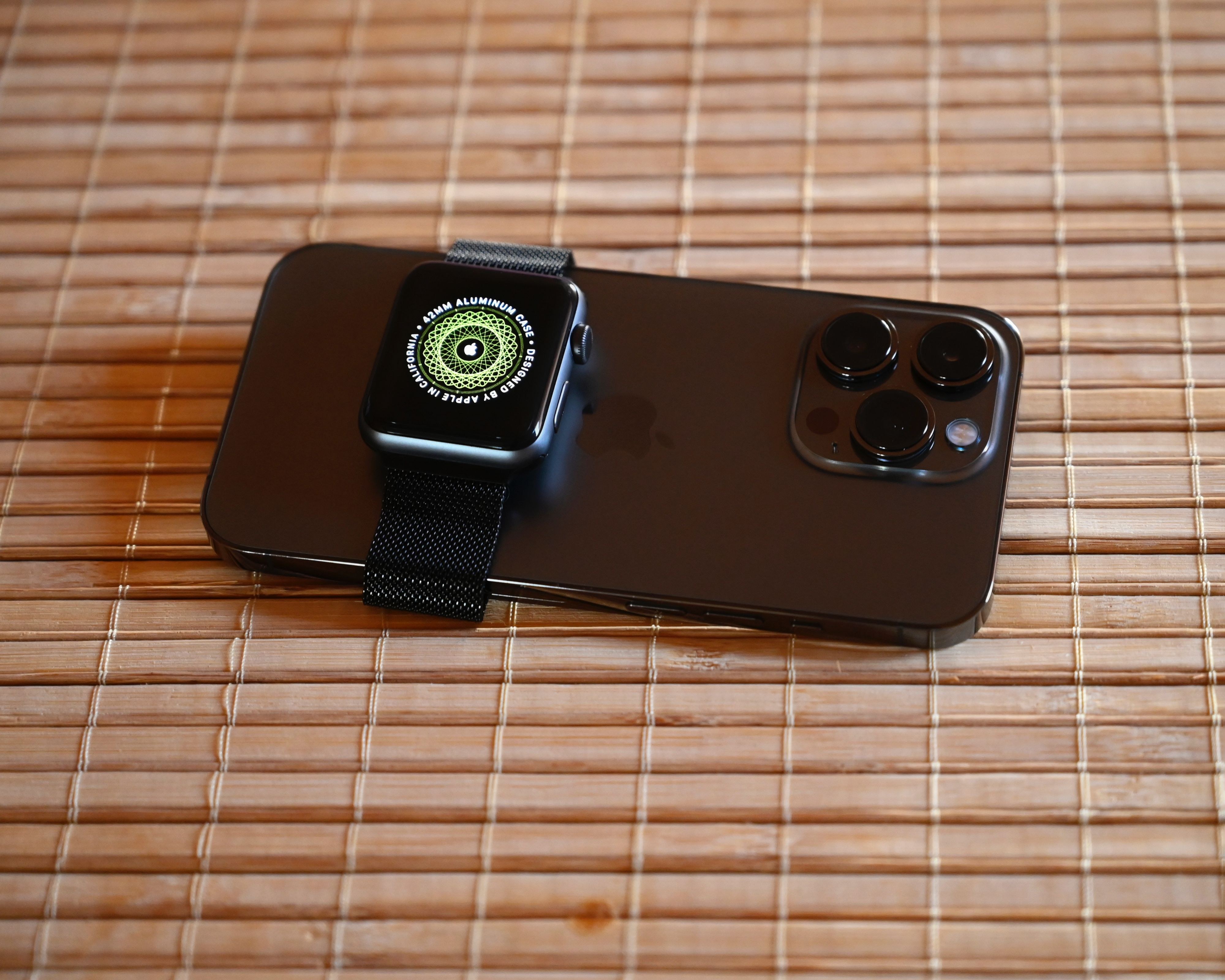
Cover: SimonWaldherr, iPhone 13 Pro and Apple Watch, sourceWikimedia Commons, based onCC BY-SA 4.0Use, not modified. for the phone and hand expression situation indicates, non-physical store real-life, does not represent the text operating image or present-source model.